You've seen this one.

SeenTube remembers which YouTube videos you've actually watched — real playback, not just an opened tab — and tells you the moment you run into them again.

Free · Not yet on the Chrome Web Store — install from source for now (instructions on GitHub)

Why it's different

Not the same as YouTube's own history

YouTube logs every video you open, whether you watched three seconds or the whole thing. SeenTube only counts what you actually saw.

YOUTUBE HISTORY

Counts a click

Open a video, close the tab two seconds later — it's in your history anyway. There's no sense of whether you watched anything at all.

SEENTUBE

Counts real playback

Only unique seconds you actually played count toward "watched." Seeking straight to the end doesn't mark it watched. Neither does opening a tab and walking away.

Features

Everything happens where you already are

Thumbnail badges

See it before you click

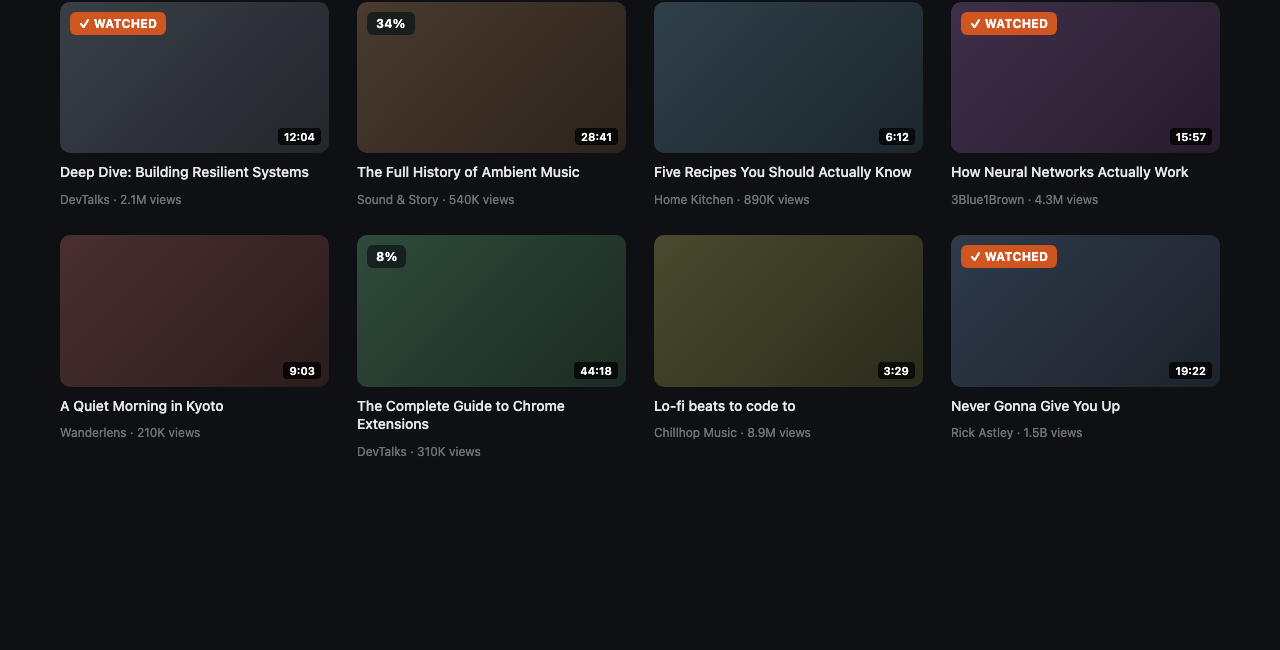
A small, subtle badge appears right on the thumbnail — on Home, in Search, in Subscriptions, in the related-videos sidebar, and on channel pages. ✓ WATCHED for videos you've finished, a percentage for ones you're partway through.

YouTube thumbnail grid with SeenTube's watched and partial badges overlaid on several thumbnails
Popup

Your history, searchable

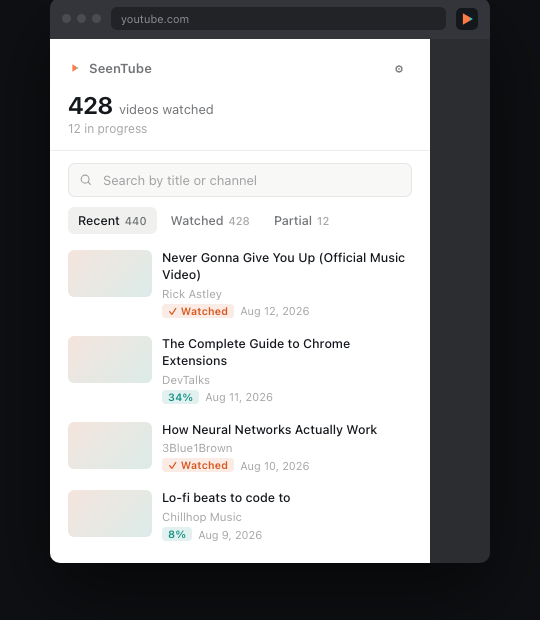
Click the toolbar icon for a clean, fast view of everything you've watched: how many videos, what's still in progress, and a search box that finds anything instantly by title or channel.

SeenTube's toolbar popup showing watched video count and a searchable recent history list
Settings

Tuned to how you watch

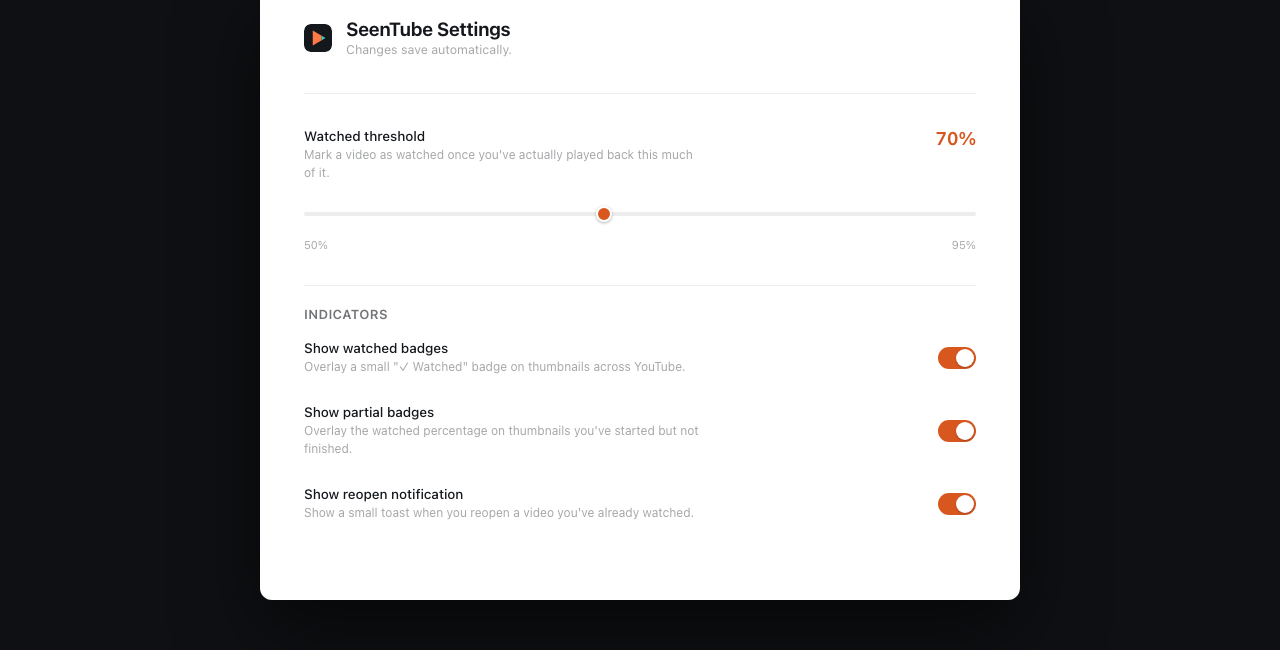
Adjust the watched threshold anywhere from 50–95%, turn watched or partial badges on or off independently, disable the reopen notification, or export/import/clear your entire history as a plain JSON file.

SeenTube's settings page with a watched-threshold slider and indicator toggles
Privacy

Private by construction, not by policy

SeenTube has no backend. There's no server to send your data to, because one doesn't exist.

🔒

Everything stays on your device

Your watch history and settings live in Chrome's local storage, on your machine, and nowhere else. No account, no sign-in, no analytics, no third-party scripts — nothing to send your data anywhere even if we wanted to.

Read the full privacy policy →

Stop rewatching things by accident.

Free, open source, and it never phones home.